
Windows XP How To Edit/Find Recent Documents and "File -> New" Templates to create New Word Document, Text/Notepad, Excel etc...
All you have to do is browse to:
C:\Documents & Settings\YourUserName and you'll see the following:
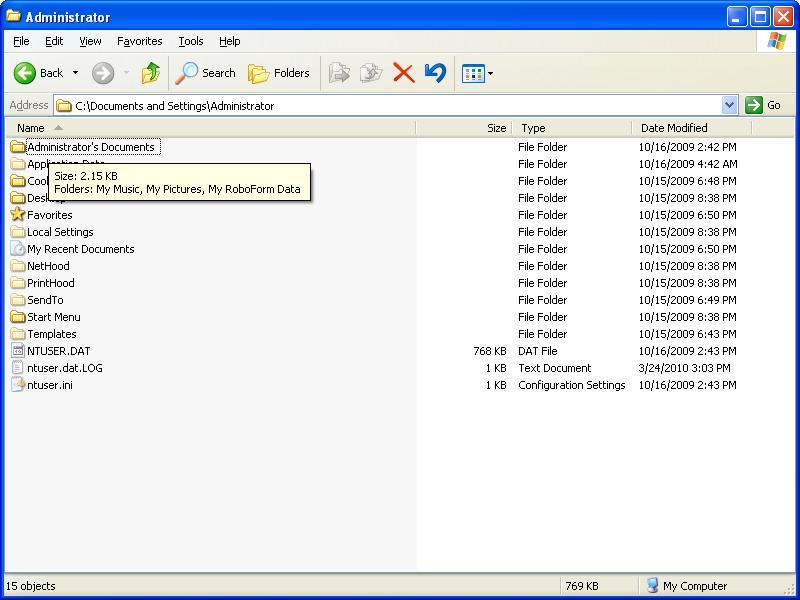
- Inside "My Recent Documents" are of course shortcuts to the most recent documents you opened
- Inside "SendTo" is your sendto, you could edit that to Send a file to a network destination, your Flash Drive etc..
- Inside "Start Menu" is everything in your Start Menu of course.
- Inside "Templates" is where you find the shortcuts inside "Right click". File -> New
This is useful because for whatever reason you may want to edit items in those folders for various reasons.
Tags:
xp, edit, documents, templates, text, notepad, excel, etc, browse, settings, yourusername, ll, quot, shortcuts, sendto, destination, items, folders, various,