
Supermicro IPMI / KVM / BMC Remote Console Screen Resizing Issue - Window Cut Off Solution

It could just be my specific Java but other KVM/IP works ok on my machine but with Supermicro's IPMI for some reason the console window doesn't resize and even putting it in full screen leaves the window cut off as shown below:
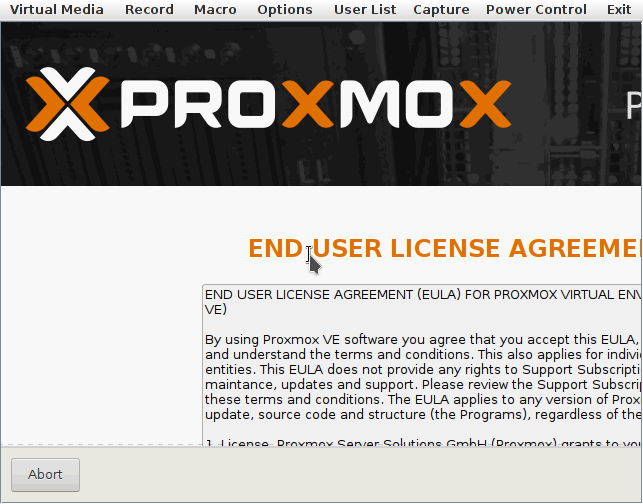
As you can see above the screen is cut off you can't see the "I agree" on the right side.

The window resize option is on and it is clearly not working properly.  Even choosing full screen doesn't change anything.

Solution - Here's how you can fix it with the Macro option:

  1. Macro Menu/Settings and click the option for "Hold Left Alt Key"
  2. Then click and hold and the mouse pointer becomes a hand.
  3. You can then drag to the right to expose what is cut off or whereever else you need to see.
  4. After you've moved the screen to where you need and want to click something make sure you disable the "Hold Left Alt Key" in macro or you won't be able to click or interact with anything.

See the example below after using the process above:
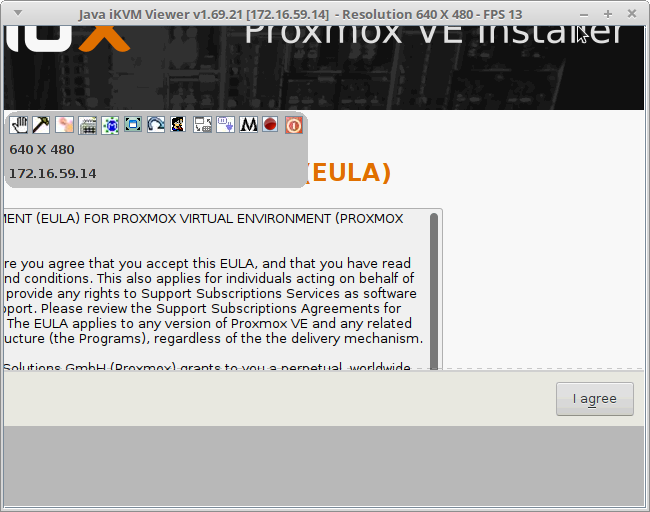
Supermicro IPMI Screen Cut Off


Tags:

Latest Articles

  • Firefox PDF Does Not Display - Shows Desktop Or Other App Instead Solution
  • How To Convert HTML to Text Based PDF
  • How To Emulate Android in Linux
  • How to use KVM and GUI inside Docker
  • python spacey ERROR: No matching distribution found for thinc<8.4.0,>=8.3.12
  • Debian 11 security repo fixes due to EOL
  • MySQL vs MariaDB how to create a socket user tutorial
  • Ubuntu Linux Mint Desktop Dark Black Cannot See Solution
  • How to combine .txt ACLs without breaking things
  • How to ping all of Googlebot's IPs script
  • 'virtio0' uses a qcow2 feature which is not supported by this qemu version: QCOW version 3
  • Linux bash script to get the IP of a list of hostnames
  • How To Use Camera Webcam in Docker for OBS Studio etc...
  • Computer Server Won't Post Boot Or Enter BIOS Setup After Installing RAID SAS or GPU Card etc..
  • How To Test PHP Scripts from CLI with GET variables/query string
  • apt-cache how to see all available versions of a package in Debian Ubuntu Mint
  • Virtualbox VBox Guest-utils drag and drop files stops working with Windows VMs
  • How To Remove Ubuntu Netplan and Go Back to /etc/network/interfaces
  • How To Force Flash an AMD Instinct GPU To Another Model Using Debian Ubuntu Mint Linux
  • How To compile ollama from source to use unsupported AMD GPU with rocm in Ubuntu Debian