
Using Cisco CME Router with Asterisk as a dial-peer
#Remember that you need a valid gateway IP unless the Asterisk server is on the same subnet and LAN
Set Valid Gateway IP (if you don't have one already)
ip route 0.0.0.0 0.0.0.0 GATEWAYIP
Enable VOIP Trust
voice service voip

 ip address trusted list

  ipv4 0.0.0.0 0.0.0.0

  sip
Set Credentials For Asterisk and Register To Asterisk
sip-ua

 credentials username username password password realm asterisk

 registrar ipv4:ASTERISKIP expires 3600

 sip-server ipv4:ASTERISKIP
Set a Dial-Peer which uses Asterisk
This is so we can actually make calls out through it. In our case we are simulating a typical office setup where you dial 9 for outside access. This is a very "unoptimized" way that takes too long, in reality you probably want dial-peers that have more specific matches eg for local numbers (713-403-1234) format.
dial-peer voice 123 voip

 destination-pattern 9T

 session protocol sipv2

 session target ipv4:ASTERISKIP

 codec g711ulaw
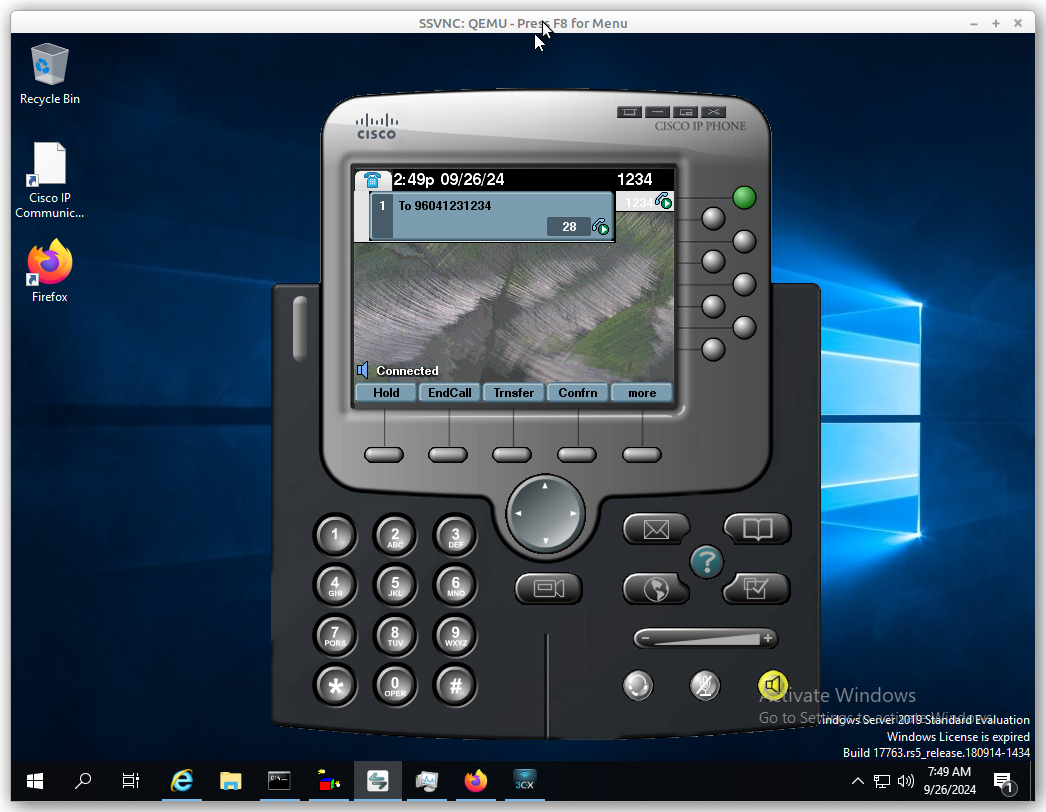
At this point if you have done things correctly, all calls beginning with a 9 will go out through Asterisk (unless you already have more specific dial-peers).
Remember Asterisk must be configured to accept the client. In some cases, you may need to modify the security users for the "friend" on Asterisk.
Tags:
cisco, cme, router, asterisk, peer, valid, gateway, ip, server, subnet, lan, gatewayip, enable, voip, ipv, sip, codec, preferences, preference, ulaw, credentials, register, ua, username, password, registrar, asteriskip, expires, simulating, quot, unoptimized, peers, eg, format, destination, protocol, sipv, correctly, configured, modify, users,